
The text-safe answer: start with Lower quality
In the Low Quality Image Maker, Lower quality is the most reliable starting route for a reposted meme with a readable caption. At 82%, it lowers JPEG quality but keeps the other visible changes neutral: no pixel blocks, no added grain, and no forced color boost.
Shared many times is a stronger style in this tool. It also adds blocks, saturation, contrast, and noise. That can be funny for a deliberately damaged meme, but it is not the first choice when someone needs to read a sentence quickly.
Two caption tests with the same tool setting
Both pairs below use the current Lower quality preset at 82% strength. The first meme has large white-band text. The second has smaller text, which is closer to the point where a caption can fail. In both cases, compare the words before looking at file size or visual texture.
Large caption: the readable repost route
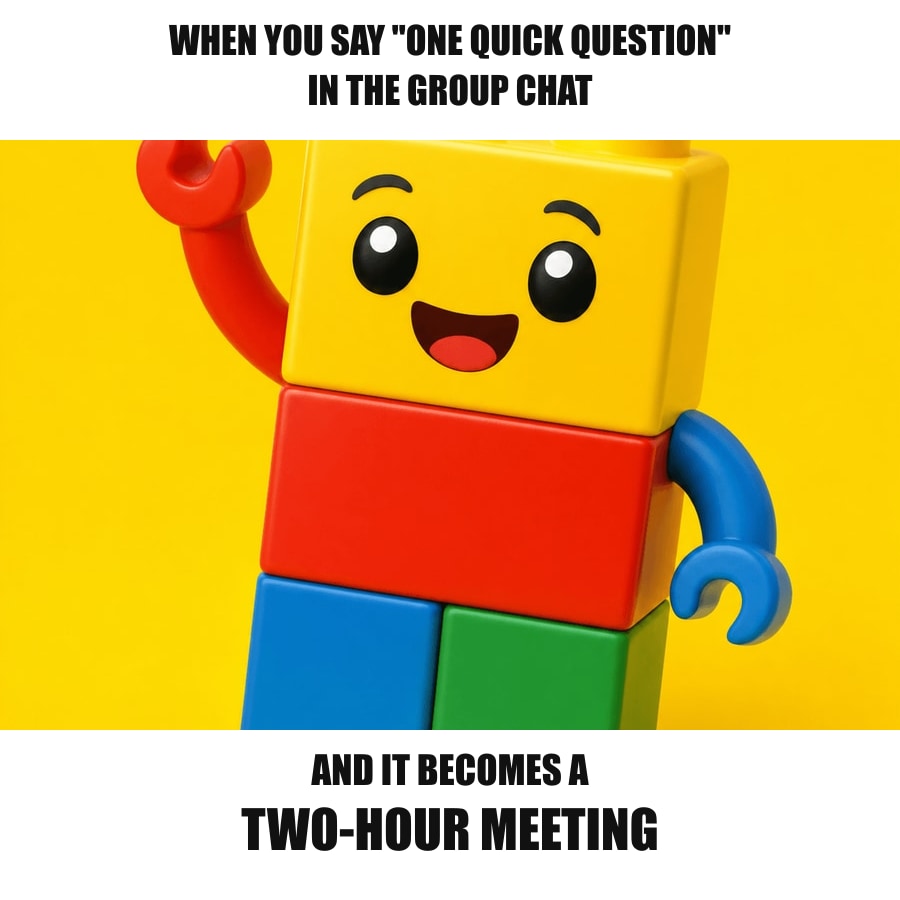 Original caption
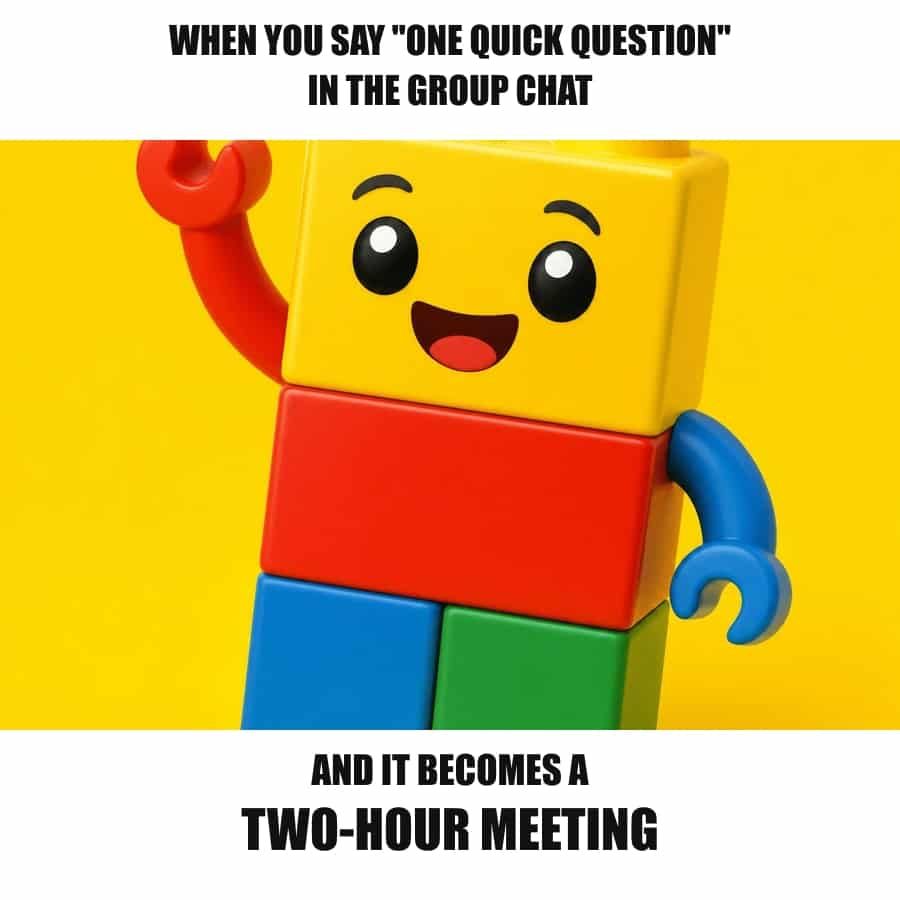 Lower quality - 82%
Smaller caption: test this before posting
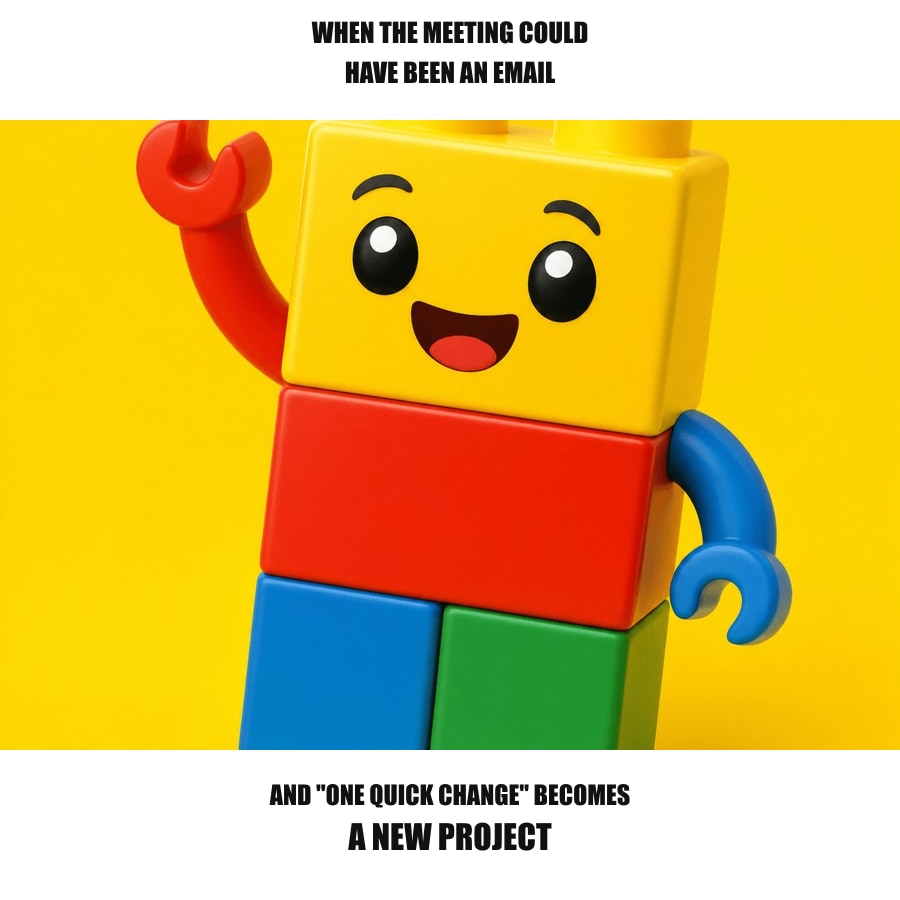 Original smaller text
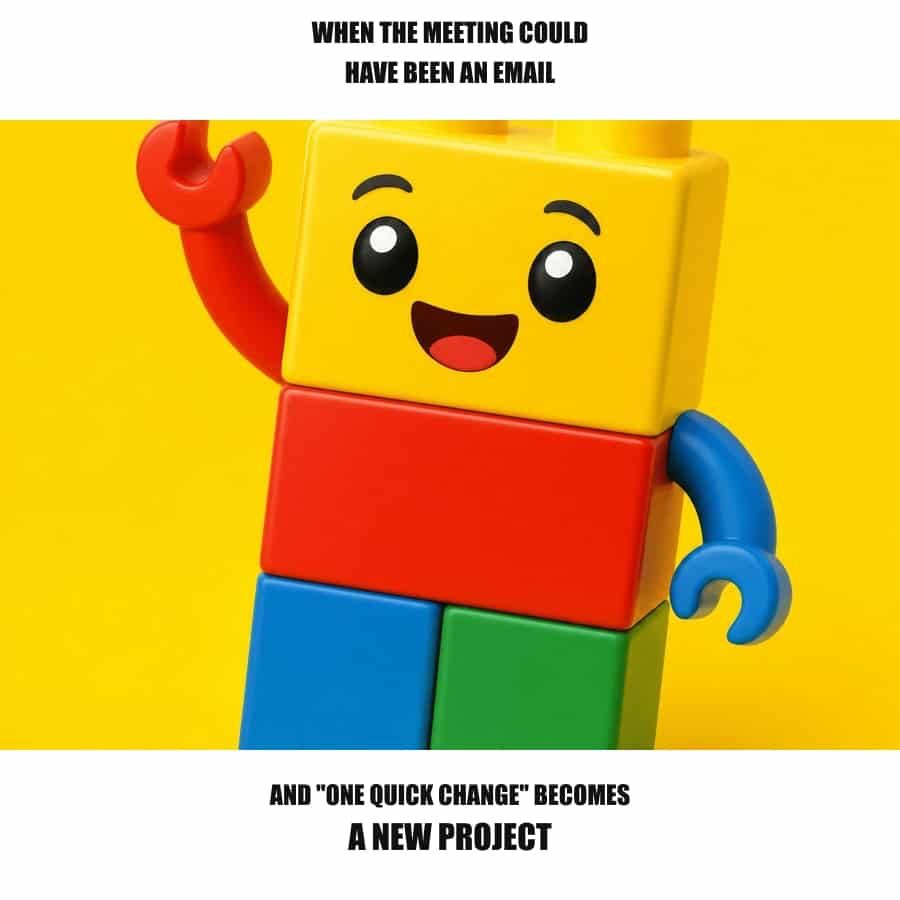 Lower quality - 82%
The examples use the same source image and the same current preset values as the browser tool. Browser JPEG encoders can create slightly different compression marks, so always check your own caption in the preview before downloading.
Choose the effect based on what the joke needs
| When this is your meme | Choose | Why it works | Do not start with |
|---|---|---|---|
| The caption is the punchline | Lower quality at 82% | It creates a compressed copy without adding blocks, color changes, or artificial grain. | Shared many times, Pixelated, or Deep fried as the first choice. |
| The face or reaction is the punchline | Pixelated at 82% | The large shapes of an expression still read after the details become blocky. | Long captions, subtitles, screenshots, and tiny text. |
| The damage itself is the joke | Deep fried at 82% | It makes color, contrast, noise, and compression visibly excessive. | Any meme that needs a reader to scan the words easily. |
What Pixelated and Deep fried change
These two comparisons use the same 82% strength as the caption tests. They are not bad options. They answer a different question: should the reader notice the reaction first, or should the image itself look absurdly over-processed?
Pixelated: preserve the reaction, not the words
Original captioned meme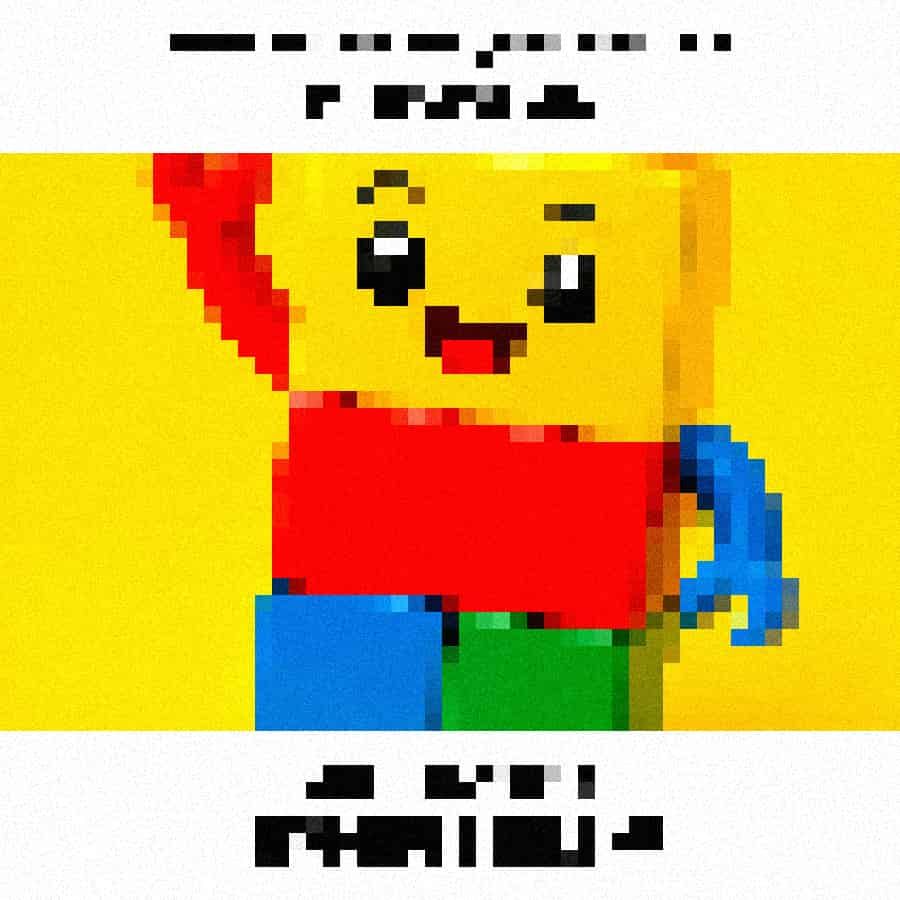 Pixelated - 82%
Deep fried: make visual chaos the joke
Original captioned meme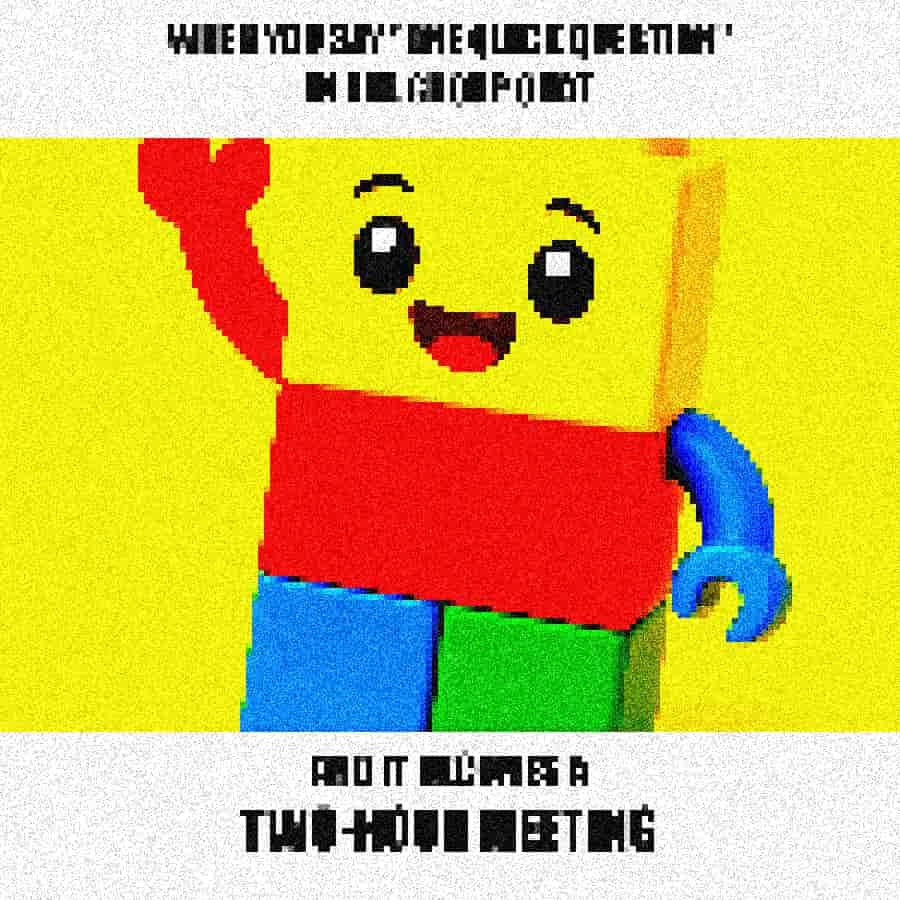 Deep fried - 82%
Pixelated removes letter shapes in square steps, so it is best for a familiar face or reaction image with only a few large words. Deep fried combines strong color, contrast, grain, and compression. Use it only when visual overload is part of the punchline.
How to make a reposted meme without losing the words
- Upload the original meme instead of an already damaged copy.
- Choose Lower quality.
- Start at 82% strength, then move the slider right only in small steps.
- Read the smallest line at the size where the meme will be shared.
- Stop as soon as the words still read but the image feels rougher.
- Download the JPG, then make a stronger second version only if the joke still works.
Do not judge only from a full-size editor preview. A caption that looks acceptable at 900 pixels may become hard to scan after a chat app, social feed, or mobile screen displays it much smaller.
When a caption needs a different plan
Lower quality is safest when the text is already large and high contrast. It cannot rescue a tiny subtitle, a dense chat screenshot, or low-contrast text placed over a busy photo. For those, shorten the caption, increase the original text size, or keep the effect lighter.
If you want an obvious block effect after deciding that the words can be secondary, readHow to Pixelate an Image for a Low-Quality Look. For a general deliberately damaged photo workflow, readHow to Make a Photo Look Low Quality.
Apply the tested route
Open the Low Quality Image Maker, choose Lower quality, and start at 82%. The original-and-result preview lets you check the caption before downloading, so the tool does not turn a readable joke into an unreadable image by accident.
Use Deep Fried Meme Generatorwhen visual chaos is the intended result. Use the Image Quality Degrader when you need to adjust compression, blocks, blur, color, or grain one at a time.
FAQ
How do I make a meme look reposted without ruining the caption?
Choose Lower quality and leave the strength around 82% as a starting point. This route lowers JPEG quality without adding pixel blocks, color changes, or noise, so it is the safest choice when the caption is the joke.
Which Low Quality Image Maker option keeps meme text readable?
Lower quality is the text-safe starting option. Shared many times adds pixel blocks, color, contrast, and noise, so it is better for a deliberately rough style than for a caption that must stay easy to read.
When should I use a pixelated meme effect?
Use Pixelated when the face or reaction is the joke and the caption is very short. It is a poor choice for screenshots, subtitles, or text-heavy memes because visible blocks erase letter shapes quickly.
When is deep fried the right choice?
Use Deep fried when loud color, noise, and visual chaos are the joke. It is not the right choice when a reader needs to understand a caption on the first look.
Does the low quality image maker upload my meme?
No. The Low Quality Image Maker processes the preview and download locally in your browser.